Configure Wireguard
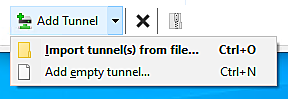
In the bottom left of the Wireguard window click the down arrow beside Add Tunnel then click Add empty tunnel
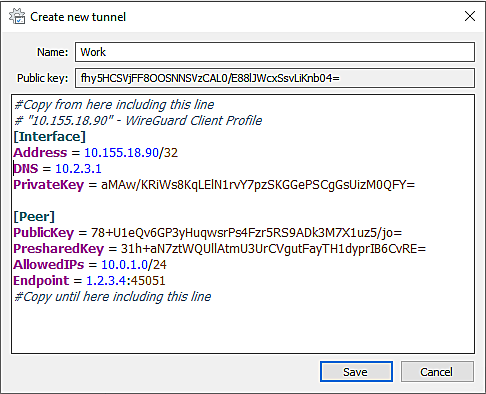
Enter a name for the connection in the Name field, eg your company name (no spaces are allowed in the name).
Click Save
Replace the existing text in the bottom section of the Create new tunnel window with the configuration provided in your email.
 r
r
Click Save
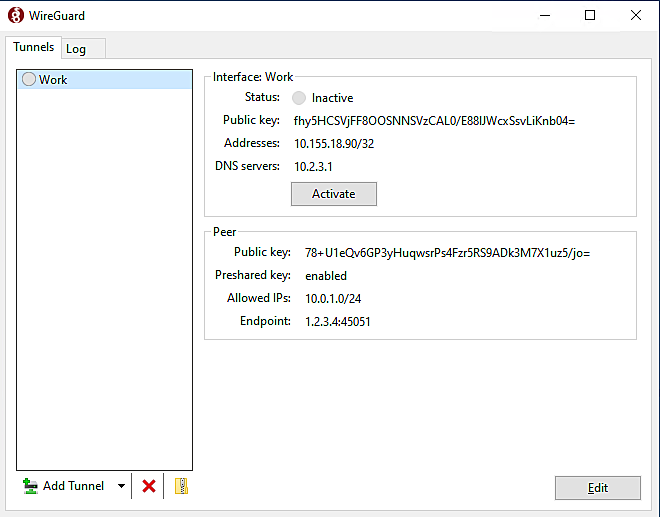
The VPN is now setup and you can Activate and Deactivate the connection as needed.
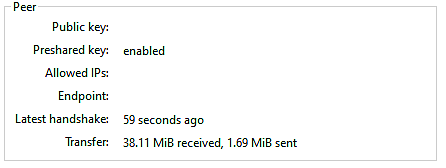
Once connected you should see Latest Handshake and Transfer appear under the Peer section, this is important for troubleshooting later if you are still unable to connect.
You can now work as if you were in the office.